
You lead the session
THERA360 drafts the notes
THERA360 records the session on a smartphone, tablet or PC, writes the transcript and pre-fills your progress note template. For every entry you can see where it was said. You review, edit and accept.
For psychotherapists in private practice and in training. Record on a smartphone, tablet or PC.
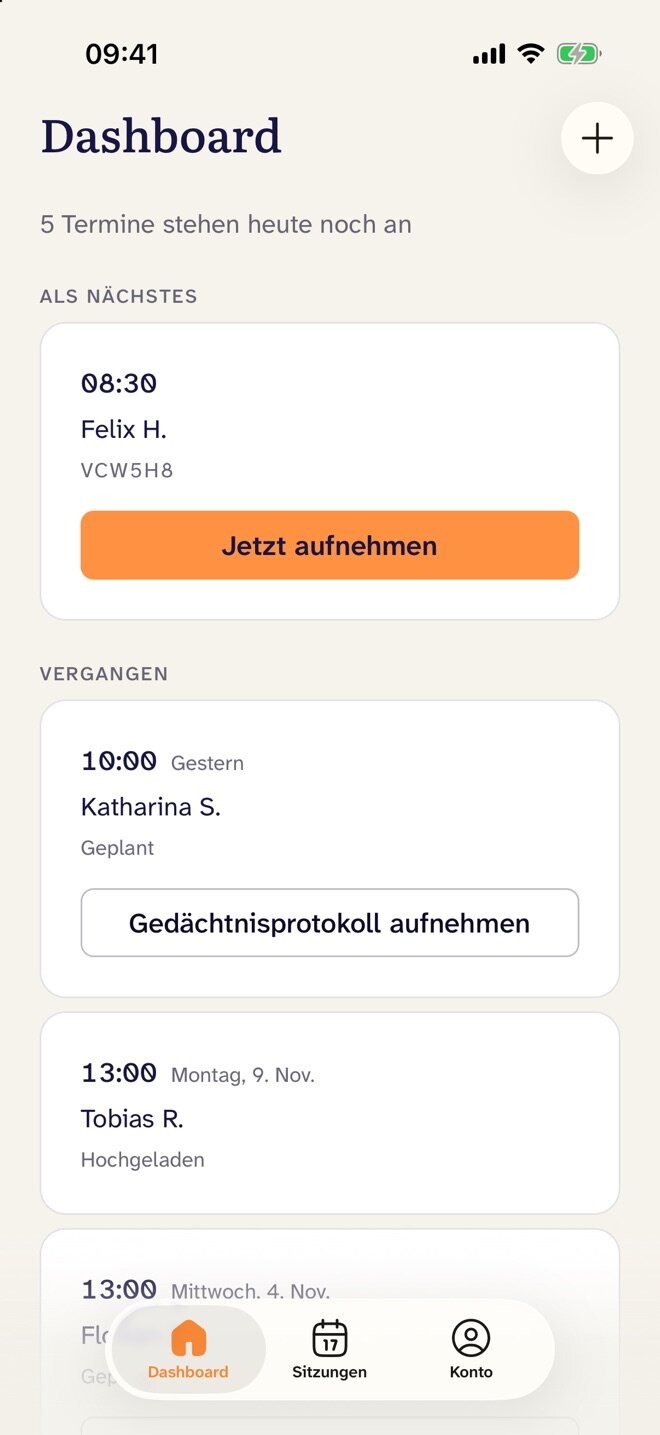
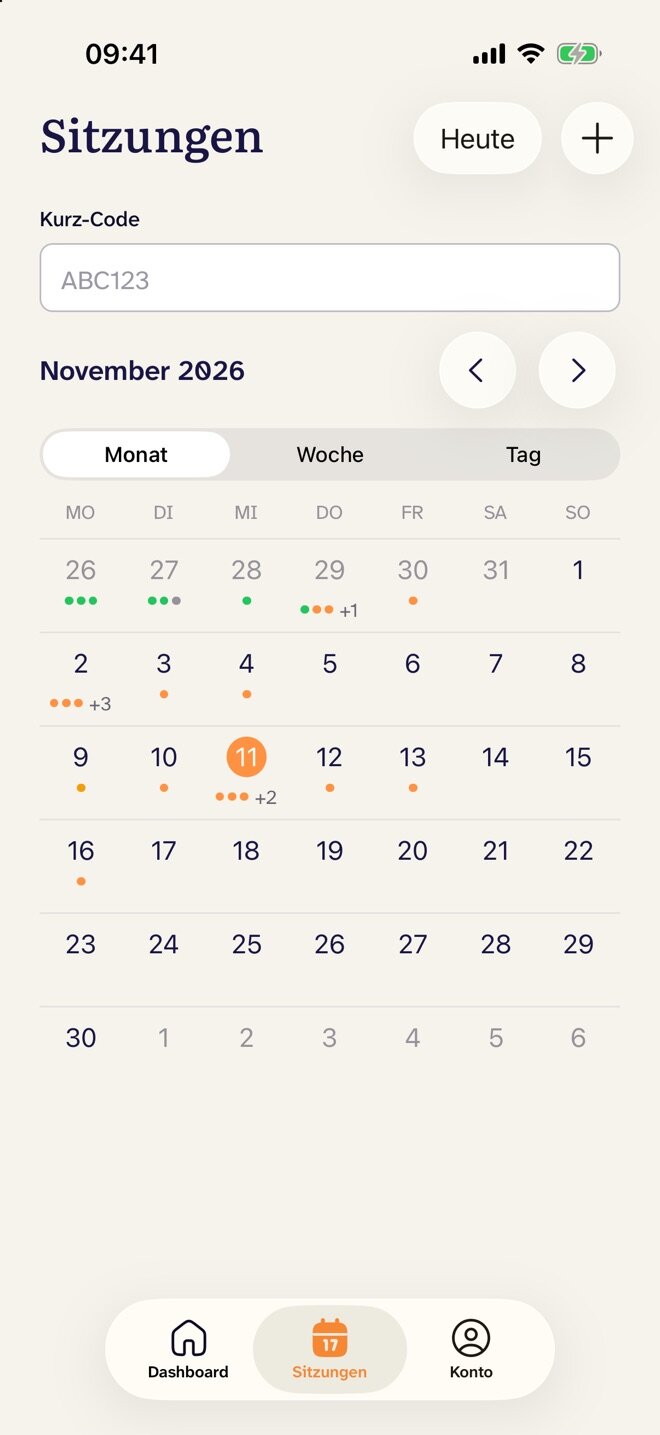
One appointment with THERA360
What you do and what the software handles
- 01Before the session
- You
- Add the appointment in the browser or the app.
- THERA360
- A few hours ahead, pulls together what has happened since the last session.
- 02During the session
- You
- Confirm consent and start recording.
- THERA360
- Keeps recording with the screen locked. Nothing is lost if the signal drops.
- 03After the session
- You
- Read the draft, edit it and move it into your practice software.
- THERA360
- Writes the transcript and pre-fills the note with evidence from the conversation.
Your preparation is ready when you need it
On the day of the appointment, THERA360 shows the last session in two or three sentences, the agreed homework and any questionnaires the patient has completed since. It also keeps count of approved sessions and report deadlines.
- Calendar by month, week and day
- Session quota and deadlines per patient
- A notice when the quota is exceeded
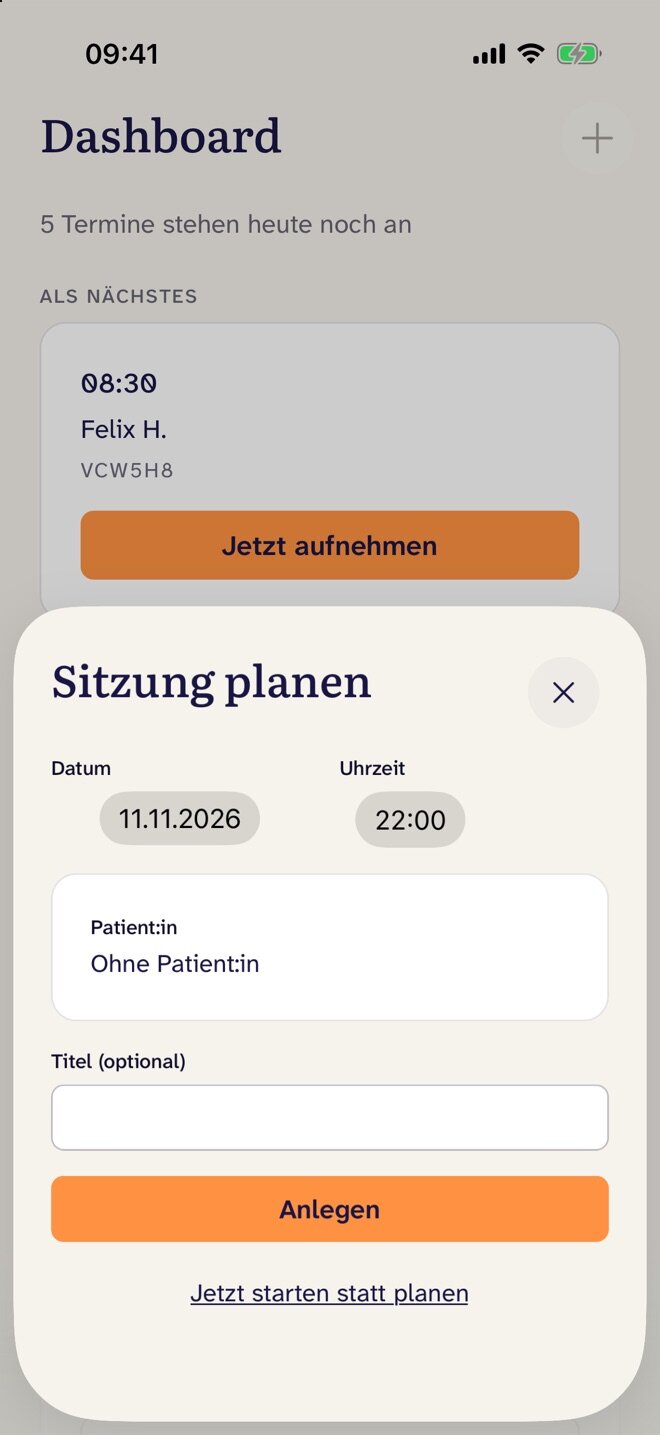
Recording on any device
Even with the screen locked
Before recording starts, you confirm that the patient has given consent. Without that confirmation, recording cannot start.
- The lock screen shows that the recording is running, so you never need to unlock the device.
- If the connection drops, the device keeps recording and uploads later.
- The transcript builds up during the session, and you can follow along.
- If the patient does not want to be recorded, you dictate a memory protocol after the session.
A progress note that cites its sources
After the session, THERA360 pre-fills your note template. Each entry shows the quote it is based on, and one click takes you to that point in the transcript. Anything that did not come up in the session stays empty.
- Who said what is in the transcriptTHERA360 tells therapist and patient apart. You set the correct spelling of technical terms and names once.
- Summary and case reflectionEach session also gets a short summary and ideas for the next one. Both are marked as drafts.
- Into your practice software“Copy all” copies the whole note as text that you paste into your practice software.
One case file from every session
Every entry with its source
After each session, THERA360 adds information to the case file, sorted by topics such as biography, symptoms, resources and goals. Every entry names the session and the point in the conversation. You remove what is wrong and add your own notes.
Ask the case file
You ask a question and THERA360 answers with statements from the file, each with its source. It does not answer questions about diagnosis, risk or prognosis.
The report for the reviewer
Questions first, then the draft
For behavioural therapy, THERA360 takes you section by section through the PTV3 report required by German statutory health insurance. First it asks about what only you know. Then it writes a draft from the case file and your answers, with evidence for every statement.
You build the condition model and the diagnosis from cards that you accept, discard or write yourself. THERA360 does not suggest a diagnosis.
- 01Before export, THERA360 checks the report, for example for real names. While red items are open, it cannot be exported.
- 02Only what you accepted or wrote yourself goes into the report.
- 03The finished report follows the PTV3 outline and comes as a PDF.
More letters from the same file
THERA360 suggests text for every field from the case file. You accept it, change it or dictate your own. Finished letters download as a PDF with your letterhead.
- Confirmation of treatmentWith purpose and recipient, and no diagnoses on the printout.
- Letter to physicianTo the GP or co-treating physician, during or at the end of treatment.
- Interim reportFollows the template, with a suggestion and dictation in each section. Once it is done, the deadline is marked as met.
Questionnaires in the patient app
You assign questionnaires and decide when they arrive, for example once, daily or a few hours before the next appointment. Patients answer in the app. You see the course with cut-offs and the individual answers in the file and in your preparation.
- PHQ-9
- WHO-5
- GAD-7
- PHQ panic module
- PHQ-15
- WHODAS 2.0
- State-DERS
Where the data lives
And who can see it
- Data stays in the EUTHERA360 stores and processes everything in the EU. Data protection documents are available on request.
- No training on your dataYour sessions are not used to train AI models.
- Only you see your casesPatients appear under a pseudonym. Neither your institution's administrators nor our team can see clinical content.
- Audio is deletedThe recording is deleted once it has been transcribed.
Frequently asked questions about THERA360
Who is THERA360 for?
For psychotherapists in private practice and in training. THERA360 helps with session notes, the case file, the report for the reviewer and questionnaires between sessions.
Which devices can I record the session with?
With a smartphone, tablet or PC. The app keeps recording when the screen is locked. If the connection drops, the device keeps recording and uploads later.
How do the notes get into my practice software?
THERA360 fills in your note template and shows where each entry comes from in the conversation. You read the draft, edit it and transfer it to your practice software.
What if a patient does not want to be recorded?
Then you dictate a memory protocol after the session.
Where is the data stored?
THERA360 stores and processes everything in the EU. The recording is deleted after transcription. Data protection documents are available on request.
Are my sessions used to train AI?
No. Your sessions are not used to train AI models.
Who can see treatment content?
Only you. Patients appear under a pseudonym. Neither the administration of your institution nor our team sees treatment content.
Which questionnaires can I assign?
PHQ-9, WHO-5, GAD-7, PHQ panic module, PHQ-15, WHODAS 2.0 and State-DERS. You decide when they arrive, for example once, daily or a few hours before the next appointment. Patients answer in the app. More on the questionnaires